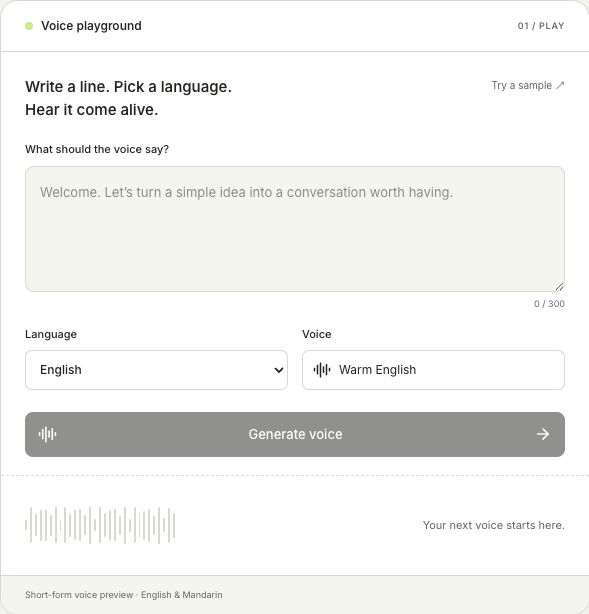
Start with a short script in English or Mandarin. Create an audio preview, listen in your browser, and download a WAV file. Explore our guides to plan your next voice project.
Start with one clear idea in English or Mandarin. A welcome message, a product introduction, or a short explanation makes a useful first test. Write the words as you would say them aloud, using complete sentences and familiar language. If you are testing a longer script, begin with its opening line so you can check the delivery before revising the rest.
02
Choose a language and generate
Select the language that matches your script, then generate a preview with the available voice. Listen to how the sentence flows. Pay attention to names, numbers, abbreviations, and places where the meaning depends on a pause. Keep your first version simple: it is easier to judge one short sentence than several ideas joined together. You can return to the script and revise it after hearing the result.
03
Listen, revise, and download
Play the result before downloading it. If a phrase sounds rushed or awkward, shorten the sentence or change the wording, then compare another version. Listen for clarity as well as tone: someone hearing the message for the first time should understand it without reading along. Download the WAV preview when you have a version you want to keep. Give each saved version a descriptive name so you can compare your drafts later.
Start with a script you can actually use
A useful voice test starts with a specific message. Try one of these examples, then replace the details with your own product, lesson, or video topic. Keep each test focused on one question: is the opening clear, does the instruction make sense, or does the sentence sound natural?
Product introduction
Welcome to the workspace. Start a new project, add your first idea, and keep everything you need in one place.
Use this opening to check whether a listener can follow the order of your instructions. Replace “workspace” with your product name and listen carefully to its pronunciation. If the message introduces too many features, keep the first action and move the remaining details into a later sentence. The goal is a clear introduction that gives someone an obvious place to begin.
Video opening
Before you record your next tutorial, try reading the opening aloud. One clear sentence can help your audience understand what comes next.
Test the opening before drafting a full narration. Tell the listener what they will learn, then move into the first step. Remove phrases that delay the main idea, such as a long greeting or a repeated explanation of the topic. Compare the original opening with a shorter version and choose the one that is easier to follow without looking at the screen.
Mandarin welcome
欢迎来到今天的课程。我们先看一个简单的例子,再一步一步完成练习。
Use a short Mandarin greeting to review sentence boundaries and the pace of an explanation. Replace the lesson topic with your own and listen for words that need a clearer introduction. Write the Mandarin script as natural spoken Chinese rather than translating each English word separately. For a bilingual project, review each version on its own before comparing the meaning across languages.
Use short audio previews in your workflow
Check a video introduction
A preview helps you hear the script before you build an entire video around it. Start with the hook and the first instruction, then listen while looking away from the text. Can you understand the topic and the next action? Rewrite unclear phrases before adding visuals. Keep a copy of the original wording so you can compare it with the revision, especially when changing names, numbers, or technical terms.
Review a lesson or explanation
Written explanations often carry more detail than a listener can comfortably follow at once. Break an instruction into individual steps and introduce unfamiliar vocabulary before using it repeatedly. Generate a short passage, listen for the main idea, and check where you need a pause or a simpler sentence. This is useful when preparing a course introduction, a practice exercise, or a spoken summary of a longer article.
Compare English and Mandarin wording
Use the same message as the starting point for two independently written scripts. Keep the intended meaning consistent while allowing sentence order and phrasing to differ. Listen for awkward literal translations, unexplained abbreviations, and names that need attention. A useful comparison asks whether each audience receives the same instruction, rather than whether both recordings contain the same number of words or finish at exactly the same moment.
Make your script easier to listen to
Write for the ear rather than the page. Replace long clauses with shorter sentences, remove repeated ideas, and put the main point early. Read numbers in the form your audience should hear, and check unfamiliar names separately. A sentence that looks concise on screen can still be difficult to understand when spoken aloud.
Punctuation can help you express the intended structure, but the preview is the best place to judge the result. Listen for phrases that need rewriting rather than adding more punctuation to every pause. Change one thing at a time so you can tell which revision improved the delivery.
Before keeping a take, listen once without reading along. Check that the opening establishes the topic, the instructions arrive in a sensible order, and the ending tells the listener what comes next. If you cannot follow a passage on the first listen, simplify the wording and generate another short preview.
Try your own short script in the playground above, then listen and revise.
Learn & build
Build your next voice project
Ready to move beyond a short preview? Explore the integration guide, review API pricing, and learn how voice sessions and audio events fit into an application. Start with the guide that matches your next task. The browser playground is a place to try wording; the developer guides cover a separate integration workflow. Before planning a production application, review credential handling, connection lifecycle, usage limits, and error recovery. Check current requirements in the official documentation rather than treating a tutorial example as a permanent API contract.
No. This is an independent voice playground and learning resource, not an xAI website. You can use this page to experiment with short audio previews and explore our guides. For official product announcements, API specifications, and current pricing, consult xAI’s documentation.
What can I try in the playground?
Write a short script in English or Mandarin, generate an audio preview, and listen in your browser. Revise the wording and download the WAV file when you have a version you want to keep. A welcome message or a short introduction is a useful place to start.
How can I make my script sound more natural?
Use short sentences and words you would say in conversation. Put the main idea first, check names and numbers carefully, and listen before making another change. If a sentence sounds awkward, try rewriting it rather than adding more instructions to the same passage.
Can I download the audio?
You can download a completed preview as a WAV file using the download control. Play it first to check the wording and pronunciation, then keep the version you prefer. Compare revisions using the same script so differences are easier to hear.
Can I try it for free?
Yes. The preview supports short scripts of up to 300 characters, with a brief wait between requests. Start with one or two sentences so you can review the result easily. Keep the page open while your audio is being prepared, then listen before submitting a revision.
Where should I start with the Grok Voice 3.0 API?
Start with our API integration guide, then review the pricing guide before planning your application. The tutorials introduce session setup, temporary credentials, and audio events. Follow the linked official documentation when checking current API requirements and billing details.